GraziMap
Log in Get started
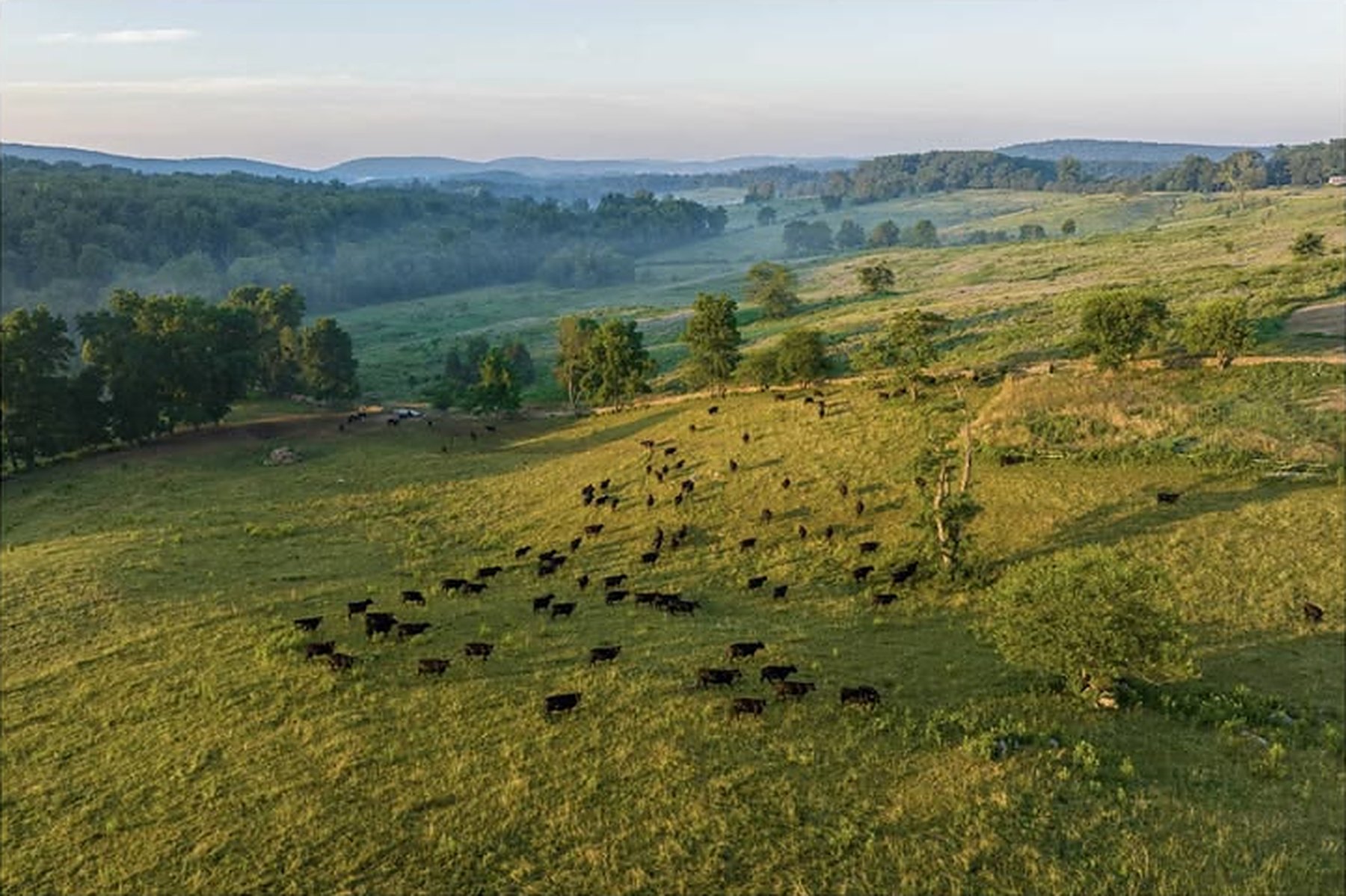
A herd of black cattle grazing across rolling green paddocks, seen from the air at sunrise
Paddock mapping for Australian graziers

Your whole property, in your pocket.

Map every paddock and gate, track every mob and keep pasture and treatment records — on every phone on the place, signal or not.
Works with no signalEvery phone in syncVisitor login includedNo app store
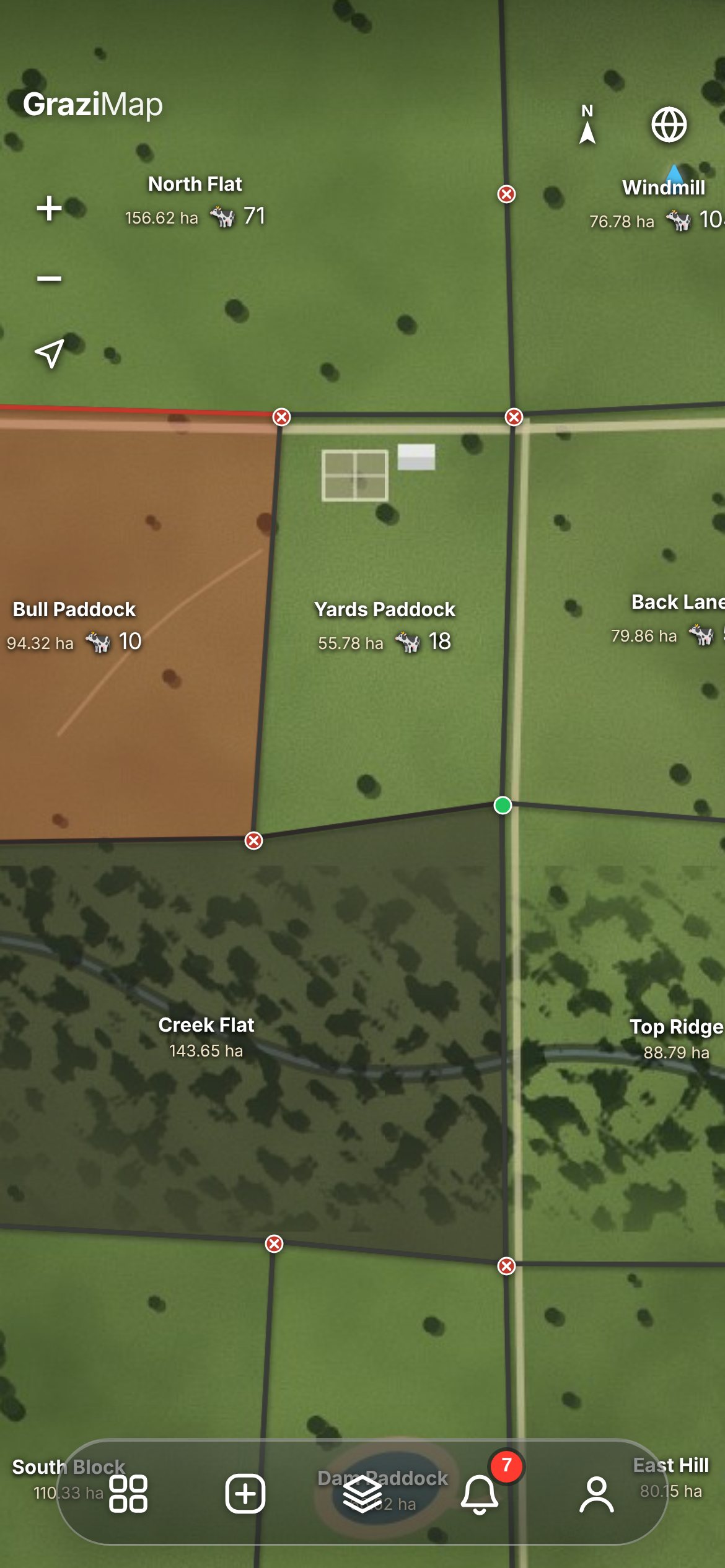
GraziMap on a phone: satellite map with paddocks, gates and head counts

Five buttons. That’s the whole app.
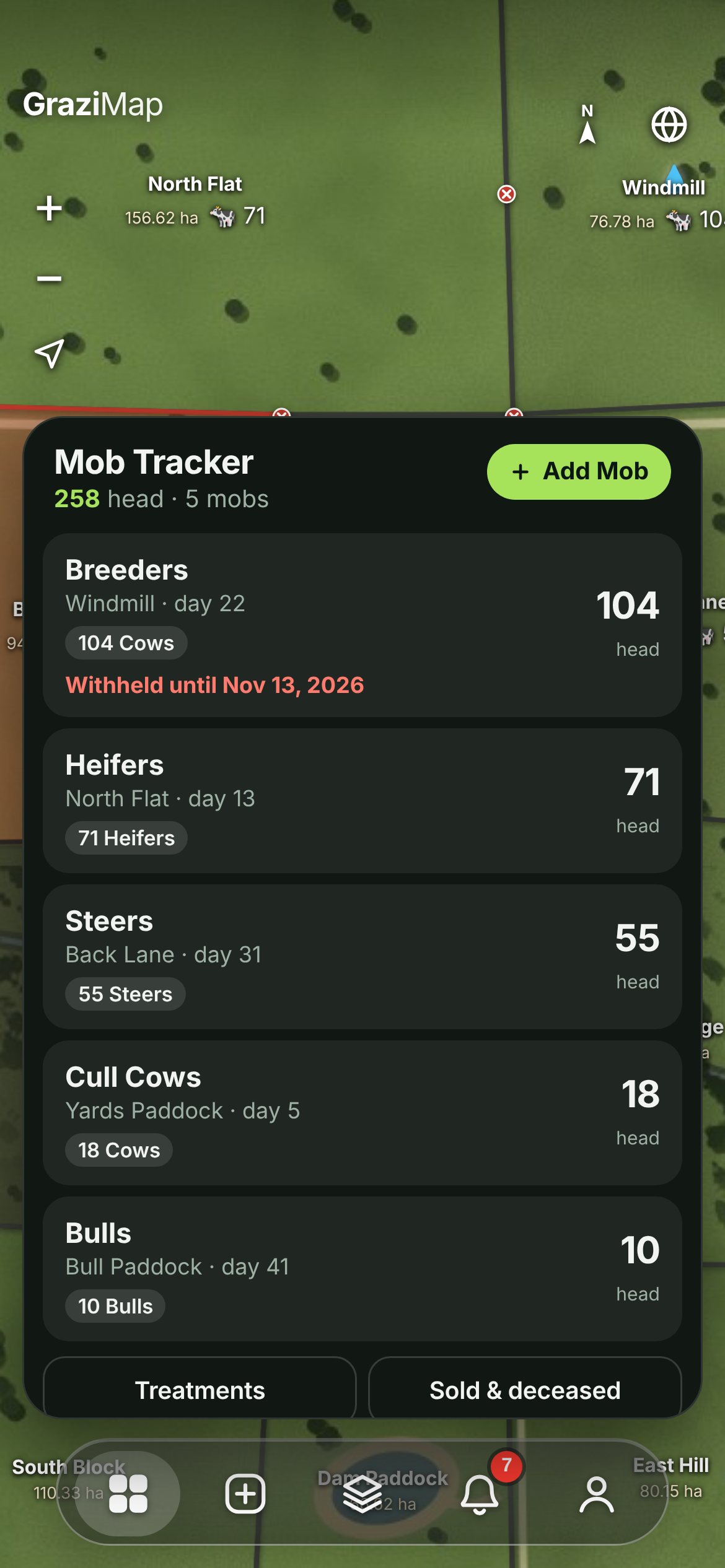
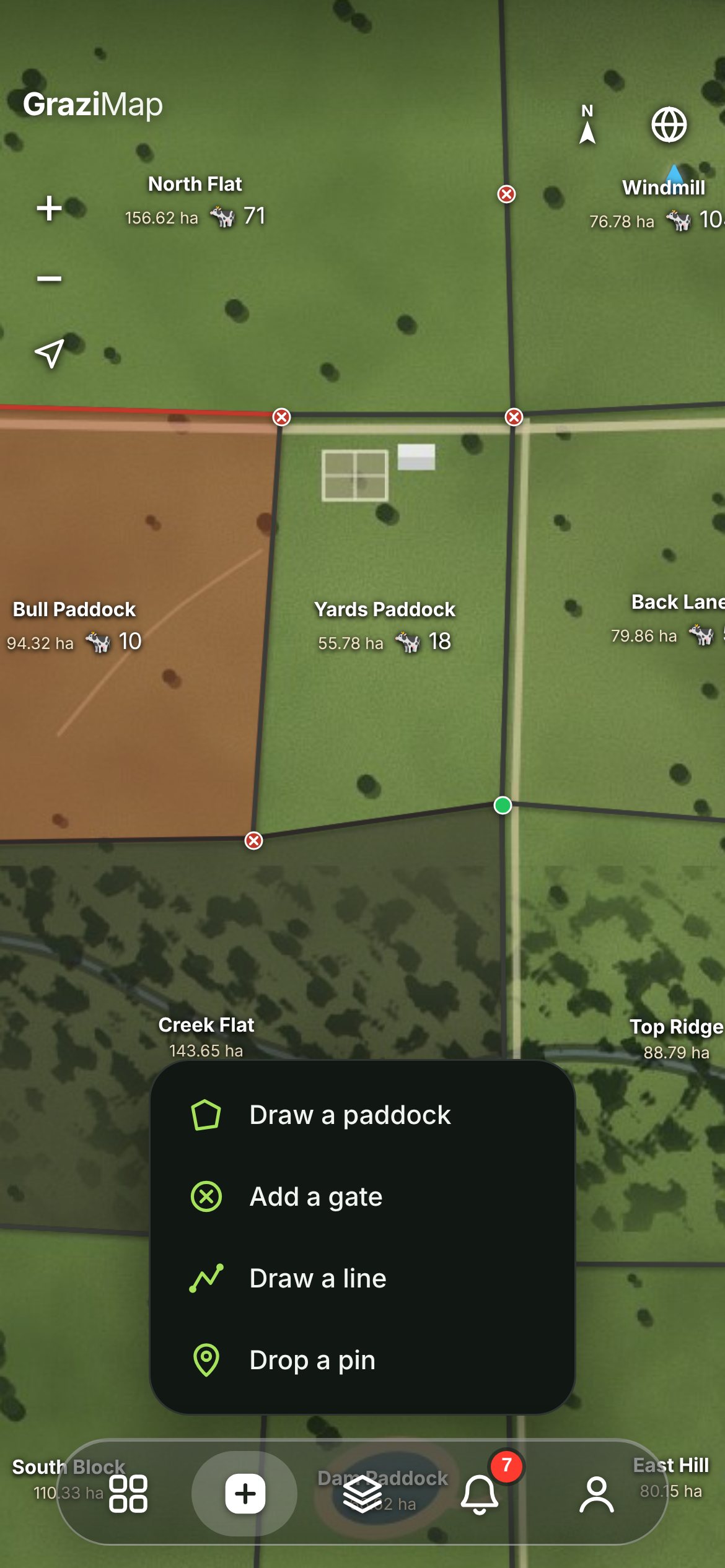
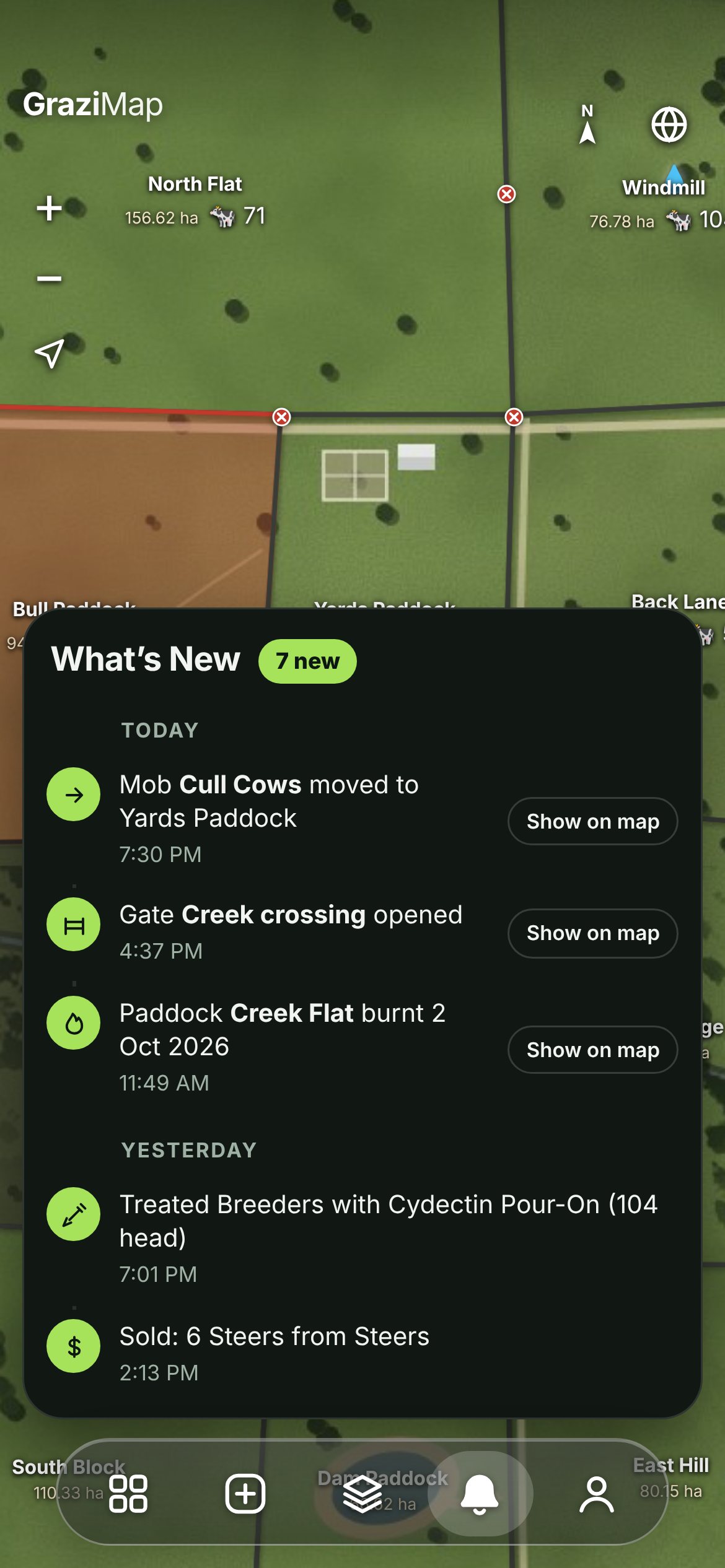
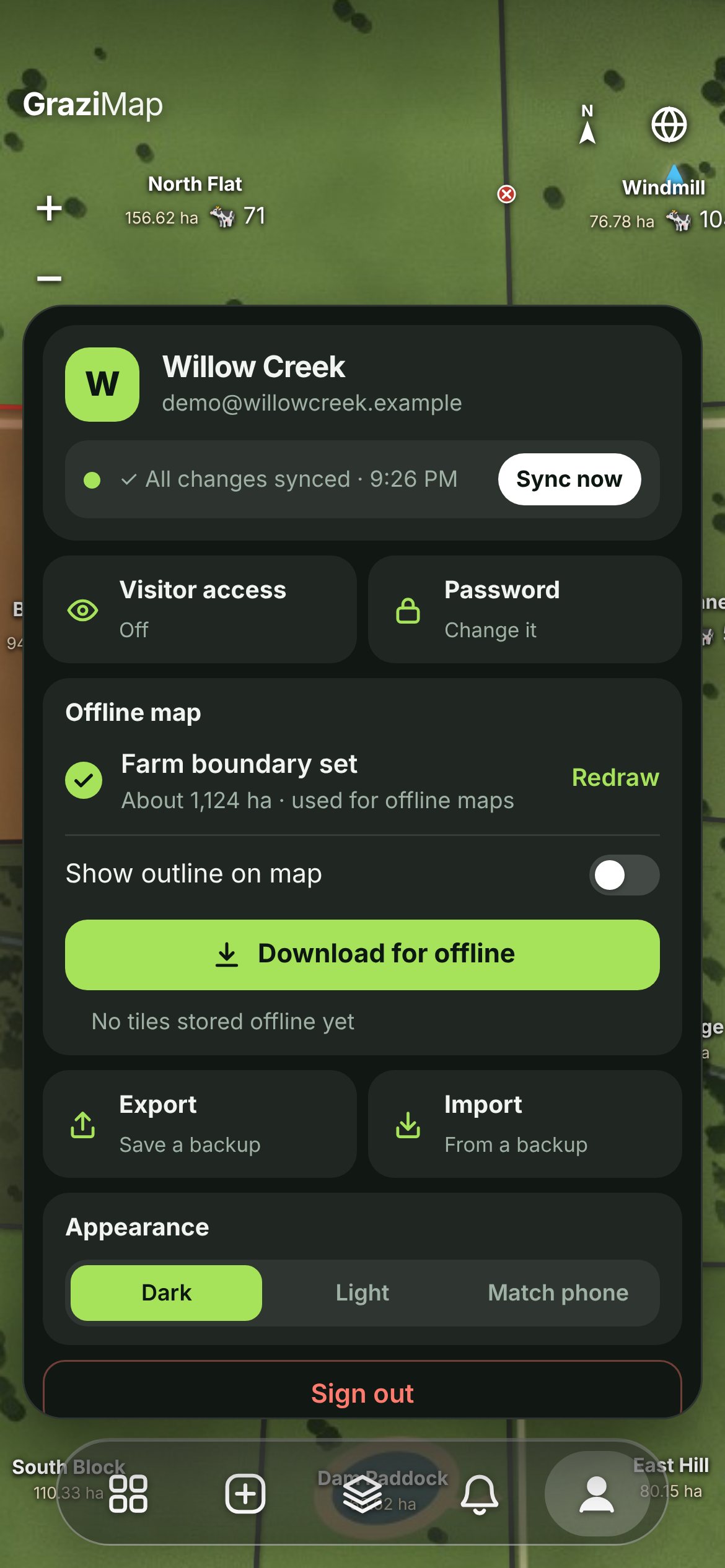
Mob Tracker listing mobs with paddock, days in, stock and head countAdd menu with Draw a paddock, Add a gate, Draw a line and Drop a pinLayers panel with total hectares and Paddocks, Gates and Water layersWhat’s New feed listing recent moves, gates, burns, treatments and salesProfile panel with sync status, visitor access, offline map, export and appearance

Every mob, every move.

The whole herd at a glance: which paddock each mob is in, how many days it’s been there and exactly what’s in it.

Head counts by stock type — cows, heifers, steers, bulls, calves
Move, split, merge, sell or record deaths in a few taps
Treatments logged against the mob, with a “Withheld until” warning
Sold & Deceased records kept for the books
Only in GraziMap: Withholding follows the cattle: merge a treated mob into another and the warning comes with it.

Map it in an afternoon.

One button to put anything on the map. Trace over the satellite imagery with your finger.

Draw a paddock — hectares and boundary appear as you go
Add a gate where fences meet
Draw a line for fences, pipes or tracks, with its length
Drop a pin with a photo: troughs, bores, dams, hazards
Only in GraziMap: Made a mistake? Undo the last point while drawing, or reshape a paddock later right on the map.

Tidy, and hard to bump.

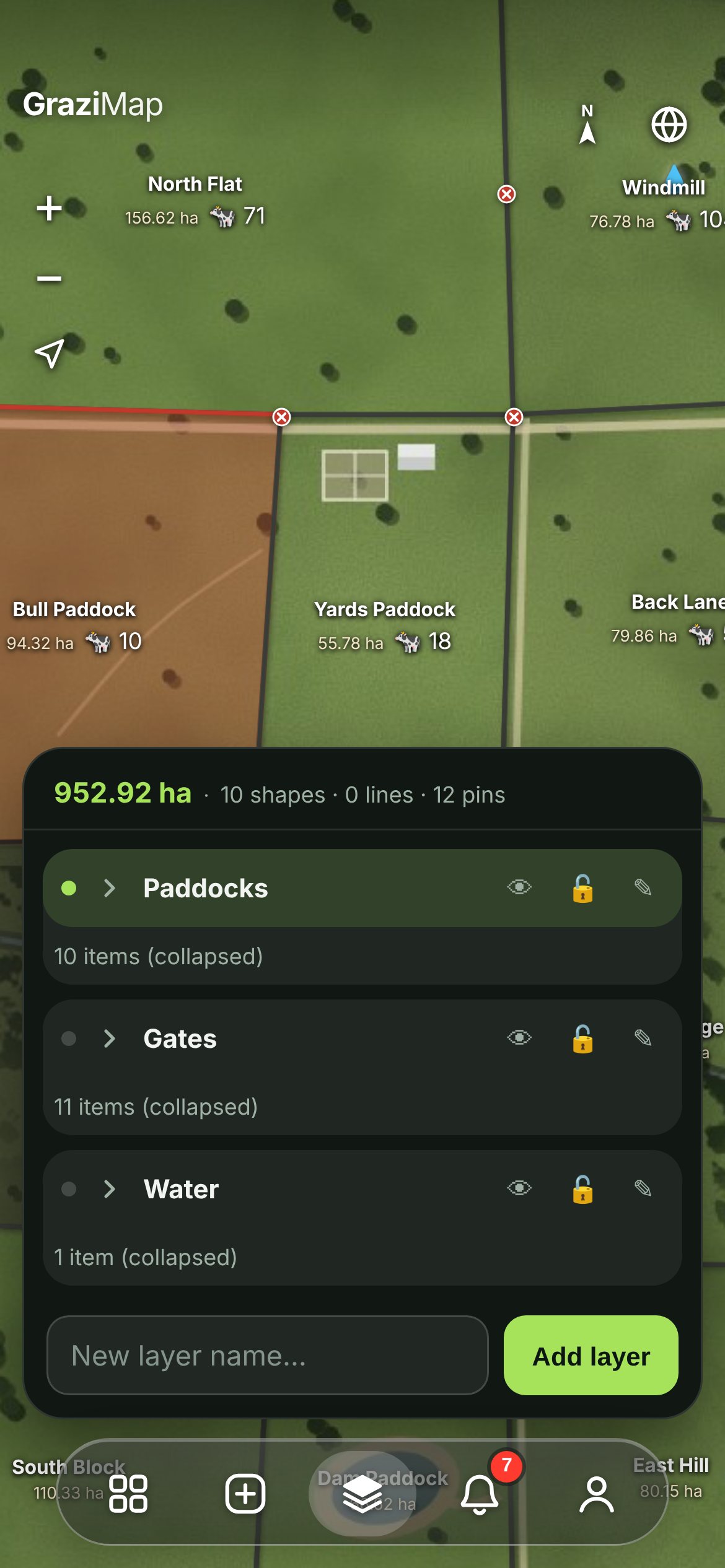
Keep the property organised into layers and see your total area at the top.

Paddocks, gates, water — or any layer you like
Show or hide each layer in one tap
Lock a layer so nothing gets moved by accident
Choose exactly which layers a visitor can see
Only in GraziMap: Total hectares and a count of every shape, line and pin, always up to date.

Know what changed, and where.

Everything anyone on the farm records lands in one feed, newest first.

Mob moves, gates, burns, treatments and sales
“Show on map” jumps straight to the paddock
Swipe away anything you’ve dealt with
Changes made out of range show up as soon as that phone has signal
Only in GraziMap: If two people change the same thing while offline, GraziMap asks which to keep — nothing is quietly lost.

Your farm, your settings.

Everything about your login, your subscription and this phone in one place.

Sync status, and Sync now if you want it
Save your whole boundary for offline use
Visitor access, password and billing
Export a full backup any time; Dark, Light or match your phone
Only in GraziMap: Your data is yours: export it whenever you like, and it’s backed up on our server every day.

Priced per farm,
not per head.

Every feature on both plans, for everyone who works the place. Not happy in the first 30 days? Full refund.

Unlimited paddocks, mobs, layers and head
As many phones as you like, plus a visitor login
Offline maps of your whole property
Daily backups, and export your data any time
Monthly
$30/ month
Pay as you go. Cancel any time.
Get started
Best value · save $60
Annual
$25/ month
$300 billed once a year.
Get started
Prices per farm, in AUD. Already have an account? Log in

Questions

Is it on the App Store?+

No store needed. Open GraziMap in your phone’s browser, log in and add it to your home screen. It opens like any other app and updates itself.

Do I need phone signal?+

No. Save your property’s map once and everything works out of range — moves, gates, burns, treatments, sales. Changes send by themselves when you’re back in signal.

What phones and computers does it work on?+

iPhone, Android (including Samsung), iPad and tablets, and any computer with a modern browser. Turn your phone sideways and it still fits.

How many people can use it?+

As many as you like on one plan. Give your login to whoever works with you and everyone sees the same map, kept in sync.

What is the visitor login?+

A separate view-only login for your agent, agronomist, contractor or the neighbour feeding up. You pick which layers they see; they can’t change anything, and they never see treatments or sales.

What if two of us change the same thing?+

Different changes simply combine — one person moves a mob while another opens a gate, both count. Sales from two phones both count. If two people change the very same thing, GraziMap asks which to keep.

Where does the map come from?+

High-resolution satellite imagery, with a contour map you can switch to. Draw your farm boundary and GraziMap saves that area to your phone for offline use.

Who can see my farm, and who owns the data?+

Only people with your login. Your data is yours — export a full backup whenever you like. It’s also backed up on our server every day.

What if it’s not for me?+

Email us within 30 days of signing up and we’ll refund you in full — no questions asked. It’s $30 a month, or $300 a year (that’s $25 a month).

How do I cancel or switch plans?+

Any time, on the Your subscription page at grazimap.app/account.html — log in with your email and password. Monthly stops at the end of the month you’ve paid for; annual at the end of the year. Switch between monthly and annual there too.